
Comprehensible input Japanese on YouTube: best channels and how to filter your feed
YouTube is one of the best free Japanese listening resources — once you can find the right videos. This guide explains what comprehensible input means, how to retune your feed into a Japanese one, and gives a levelled list of channels from N5 to N1 to subscribe to today.
What comprehensible input means (and why i+1 matters)
Comprehensible input is Japanese you can mostly understand. The idea, often written i+1, is that you learn best from material roughly at your current level (i) plus a little new (+1): you follow the meaning from context, pictures, gesture and known words, and absorb the new pieces by exposure rather than by memorising rules in isolation.
The practical takeaway: pick videos where you understand most of what is happening. Lost the whole time? Too hard — drop a level. Every word obvious? Nudge up. The list below is grouped by JLPT level so you can do exactly that.
Turn YouTube into a Japanese feed
YouTube's homepage keeps serving whatever you usually watch. よむ's YouTube immersion filter reshapes the feed: it's on by default, checks each video's original Japanese title via oEmbed (keeping Japanese-learning videos even with English titles), hides non-Japanese cards across the homepage, search and sidebar, and toggles with Alt+Y — all without touching playback. Full details on the features page.
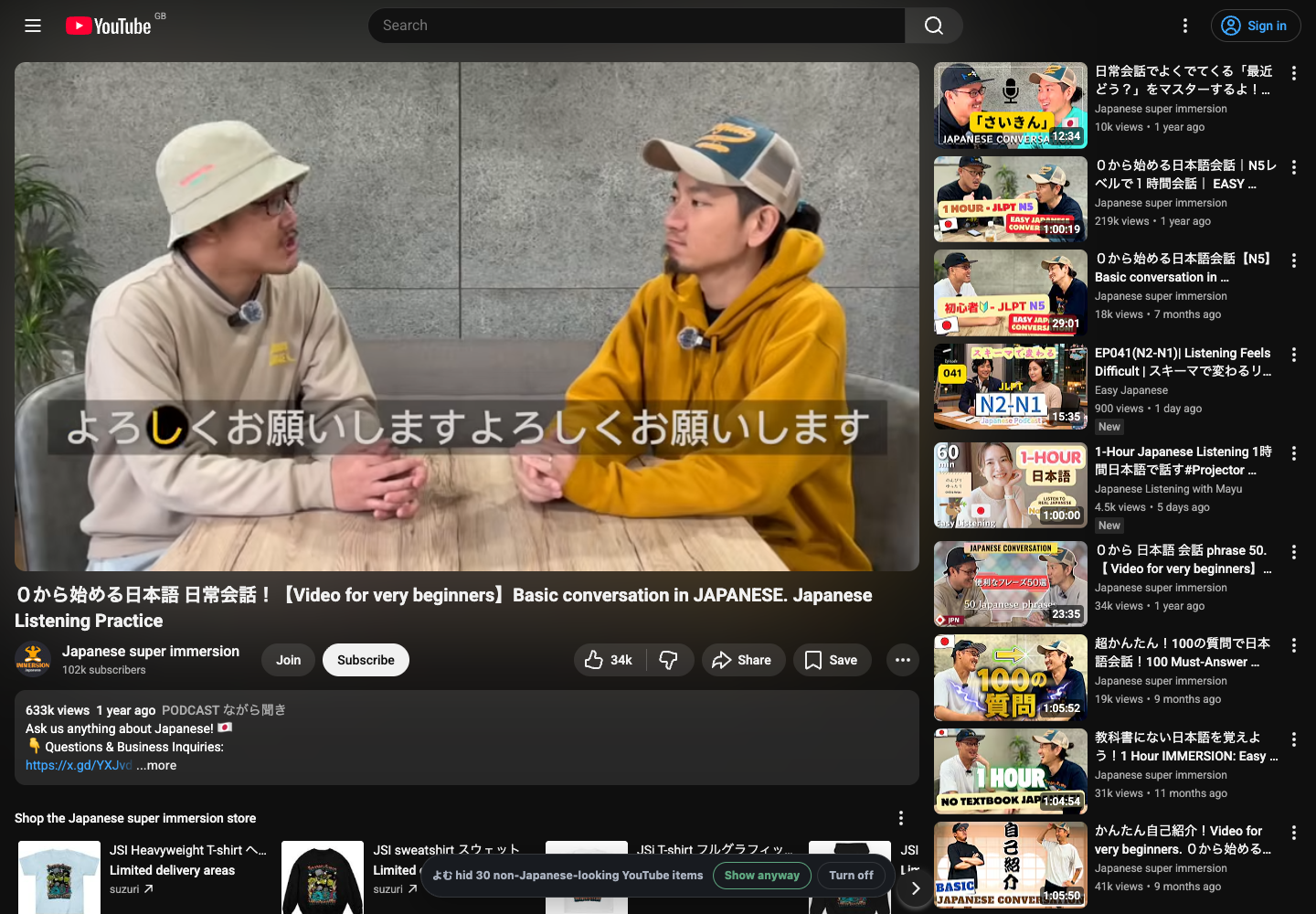
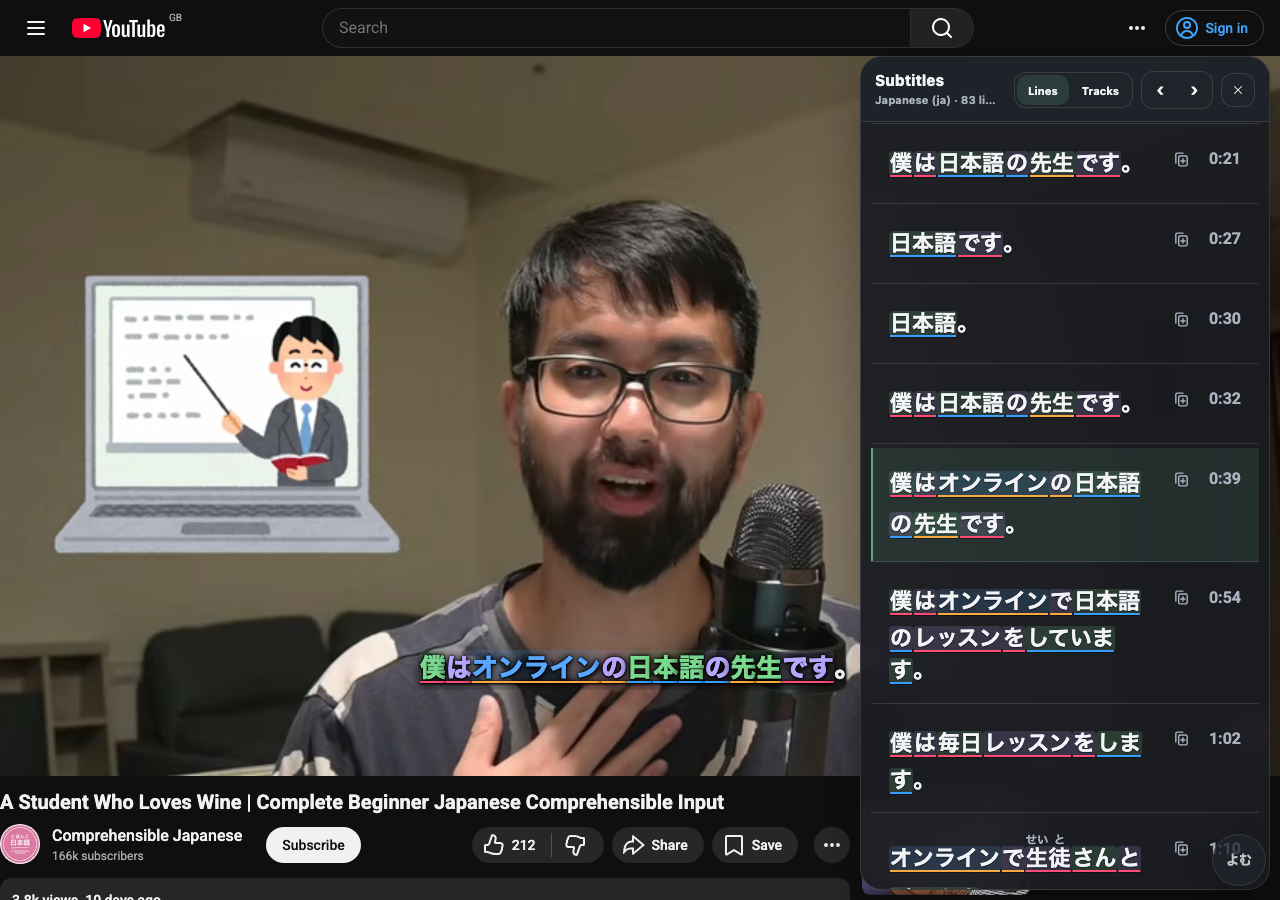
It also ships a dismissible starter guide of about 100 curated Japanese channels with one-tap subscribe links and a JLPT-level filter. The list below is a representative subset.
A levelled channel list (N5 → N1)
Subscribe to a handful at your level, then let the filter and recommendations do the rest. Each line has a one-word note on what the channel is about.
Beginner (N5)
- Comprehensible Japanese — the canonical CI channel; slow, visual, beginner-first.
- Teppei (Nihongo con Teppei) — short daily listening podcast.
- WAKU WAKU JAPANESE — lessons with furigana captions.
- Japanese with Shun — calm beginner podcast.
- Daily Japanese with Naoko — everyday phrases and topics.
- The Nihongo Nook — clear beginner explanations.
- いろいろな日本語 — anime-flavoured beginner content.
Upper beginner (N4)
- Bite Size Japanese — short, gentle podcast episodes.
- あかね的日本語教室 — friendly grammar and conversation.
- NihongoDekita with Sayaka — structured lessons for N4.
- はるあん — cooking, natural everyday Japanese.
- おさるのジョージ (Curious George) — kids' show; simple narration.
- しまじろうチャンネル — kids' content, very clear speech.
Intermediate (N3)
- Learn Japanese with Noriko — intermediate listening podcast.
- 鈴川絢子 — trains and family travel.
- きまぐれクック — fish and cooking, lively narration.
- Gamer Grandma — gaming with a warm, chatty host.
Upper intermediate (N2)
- けんた食堂 — home cooking, relaxed talk.
- メンタリスト DaiGo — fast psychology and self-help talks.
- Bappa Shota — travel vlogs in natural Japanese.
- Kurzgesagt JP — science explainers, dubbed.
Advanced / native (N1)
- 中田敦彦のYouTube大学 — long, dense lecture-style videos.
- Suit Travel — fast-paced travel storytelling.
- 令和の虎CHANNEL — business pitches and debate.
- Naokiman Show — mystery and entertainment.
How to actually study with these channels
Watching is the foundation, and looking words up in place makes it stick faster.
- Watch for the gist first. Pick a video you follow most of, and don't pause on every word the first time through.
- Turn on the subtitle overlay. よむ turns each Japanese subtitle line into tappable words, shows a second native-language line, and gives a transcript panel with the active line highlighted.
- Tap to look up. Reading, meaning, pitch accent, frequency and example sentences appear in the popup.
- Mine the keepers. When a sentence is almost fully known except one new word, send it to Jiten, JPDB, or Anki from the popup — i+1 turned into a flashcard.
FAQ
What is comprehensible input for Japanese?
Japanese you can mostly understand — your current level plus a little new (i+1). See the section above; on YouTube it means channels pitched at or just above your level, like Comprehensible Japanese for beginners.
How do I turn YouTube into a Japanese feed?
Install よむ — the YouTube immersion filter is on by default, then toggles with Alt+Y. See Turn YouTube into a Japanese feed above and the features page.
What are the best Japanese YouTube channels for beginners?
For N5, start with Comprehensible Japanese (@cijapanese), then Nihongo con Teppei, WAKU WAKU JAPANESE and Japanese with Shun — see the full N5→N1 list above.