
How to read manga in Japanese (free setup)
Manga is some of the best reading input you can get: short sentences, lots of repetition, pictures that carry half the meaning, and dialogue that sounds like how people actually talk. The problem is mechanical, not motivational. Raw Japanese manga is made of images, so you cannot select or copy the text, and furigana is not always printed — exactly the help a learner needs is missing on the page.
This guide shows the free, end-to-end path: install よむ, make the words inside panels tappable, get readings and furigana on demand, and save the words worth remembering. No app to buy, no account to start.
Why manga is great input but hard to read
- The input is good. Speech bubbles are naturally short. Characters repeat vocabulary and grammar across a volume. The art gives you context, so you can often guess a word before you confirm it.
- The text is locked in pixels. A scanned or rendered page is an image. Your browser cannot select it, your dictionary extension cannot see it, and copy-paste does nothing.
- Furigana is inconsistent. Shounen titles often print readings over kanji; seinen and many web releases do not. When the reading is missing, a single unknown kanji compound can stop you cold.
よむ solves the locked-text problem two ways, depending on the manga.
Step 1 — Install よむ
Install a userscript manager (Tampermonkey on desktop, the Userscripts app on iPhone/iPad), add よむ from the link below, and open any manga page. Jiten, JPDB, and Anki are optional and come later. Full walkthrough on the getting started page.
Step 2 — Reading where the text is selectable
Some readers and graded-reader sites publish manga as real HTML text rather than flat images. There, よむ works immediately: tap, select, or hover a word and the popup shows the reading, meaning, pitch accent, frequency, Jiten/JPDB and Yomitan dictionary entries, audio, and example sentences.
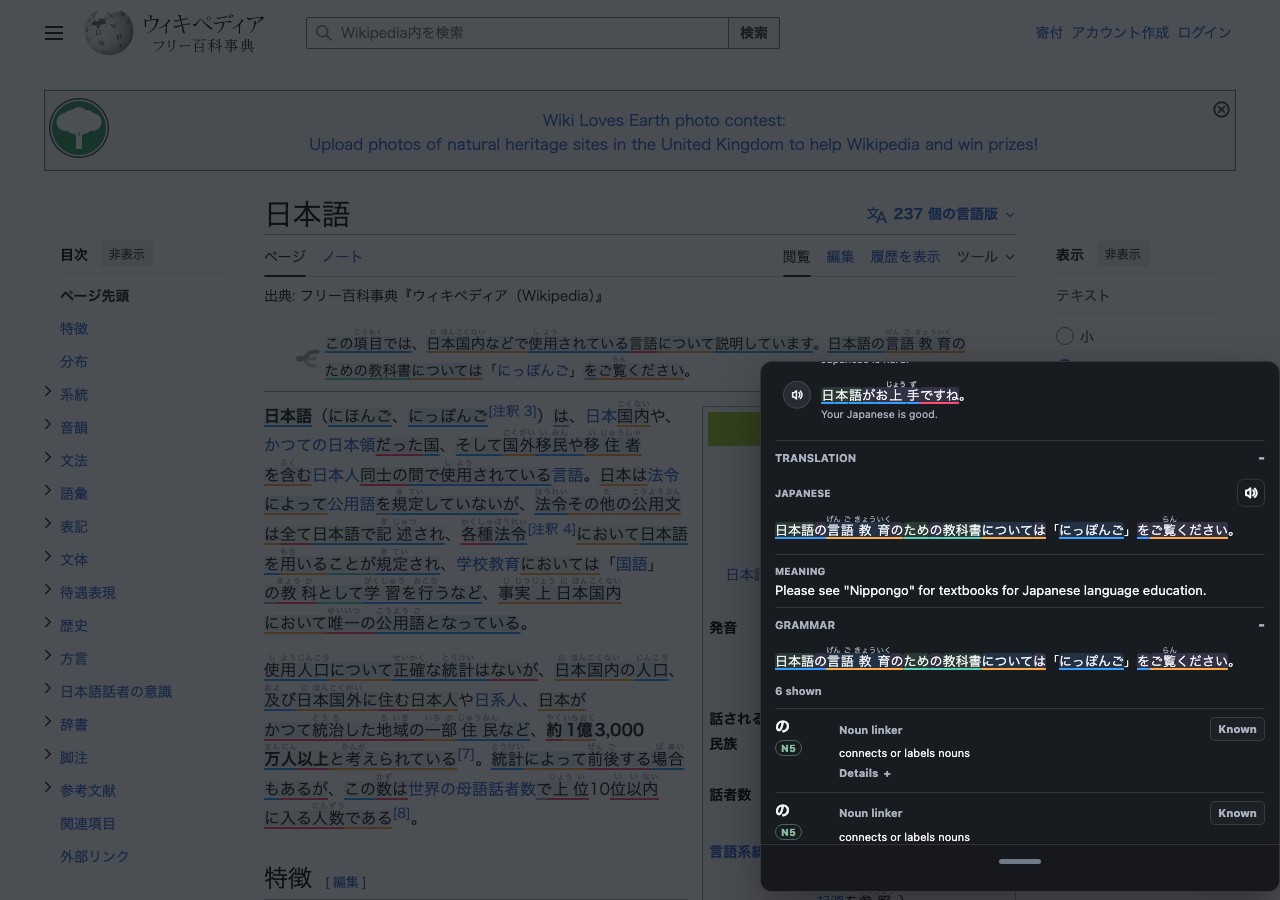
Most raw manga, though, is image-only — that is where OCR comes in.
Step 3 — Tapping words inside image-only panels (OCR)
When the page is just pictures, よむ uses OCR to recognise the Japanese and then lets you tap it like normal text. There are two free routes:
Embedded OCR (e.g. Mokuro). Some manga is pre-processed with Mokuro, which generates an HTML overlay mapping recognised text to each panel. If a chapter ships this metadata, よむ reads it directly — taps are instant and nothing is processed on the fly. This is the smoothest experience when it is available.
A local OCR engine. For plain images with no embedded text, you run a local OCR engine — MangaOCR, PaddleOCR, an Apple Vision-style recogniser, or a YomiNinja-shaped setup — and point よむ at it. You tap a bubble, the panel image goes to your local endpoint, and the recognised text becomes tappable.
You configure all of this in the OCR settings:
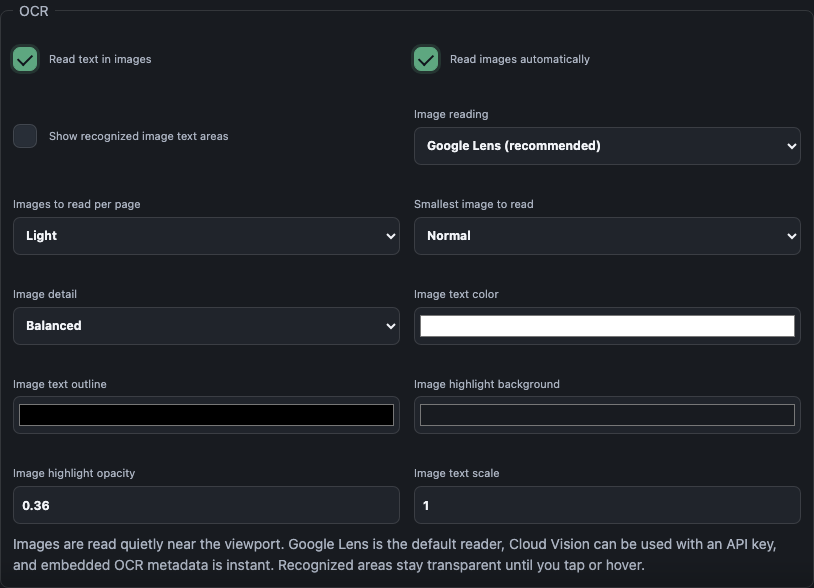
The full reference for OCR engines, endpoints and image handling lives on the Japanese OCR page.
Step 4 — Readings, furigana and meaning on demand
Once words are tappable, the popup does the heavy lifting. For a missing reading, よむ shows the reading right there; you can also turn on furigana so kanji get readings inline as you read. Choose all words, hard kanji only, or hide-for-known so you only see furigana on words you have not learned yet — which keeps an easier title from becoming a wall of kana.
Stuck on a single kanji rather than a word? Tap it to open the kanji drilldown: stroke count, grade, JLPT level, on/kun readings, RTK data, components, animated KanjiVG stroke order, and a small drawing pad. Details on the furigana reader page.
Step 5 — Mine the words worth remembering
Reading is the point; reviewing makes it stick. When a word matters, save it instead of re-looking it up next chapter:
- Jiten/JPDB: add the word, mark never-forget, blacklist noise, or send review grades straight from the popup.
- Anki (via AnkiConnect): create a card with the word, reading, meaning, the source sentence from the panel, audio, and optionally the panel image.
A sentence mined from manga you actually read beats a wordlist. Full workflow in the mine sentences to Anki guide.
Where to find legal, free manga to read
Keep it legitimate — there is plenty:
- Graded readers and learner sites publish easy Japanese, often with selectable text and furigana.
- Official free chapters. Many publishers and creators put first chapters or ongoing series online for free.
- MangaDex-style readers host community and officially-permitted releases; some chapters ship Mokuro overlays.
This guide does not recommend or link to piracy. Read from sources you are entitled to.
Practical tips for beginners
- Start easy. Pick a title that is mostly comprehensible. If every bubble needs three lookups, drop down a level.
- Look up only what blocks you. If you got the gist from the art and context, keep reading.
- Lean on hide-for-known furigana so you train recall on familiar words and only get help on new ones.
- Mine sparingly. A handful of good sentence cards per chapter beats fifty you will never review.
- Re-read. The second pass of a volume is fast and confidence-building — repetition is a feature of manga, not a bug.
When you want more input away from the page, comprehensible video pairs well with reading — see the comprehensible input on YouTube guide.
FAQ
Can I tap words inside manga images to look them up? Yes — via embedded Mokuro metadata (instant) or a local OCR engine like MangaOCR or PaddleOCR. See Tapping words inside image-only panels above.
Is my manga uploaded anywhere when I use OCR? No. Embedded Mokuro OCR is read locally; image-only OCR sends images only to a local endpoint you run — there is no cloud service, and nothing is sent if you configure no endpoint.
Do I need to know all the words before I start reading manga? No. Pick a mostly-comprehensible manga, look up only what blocks you, and save the words that matter — rather than memorising everything in one sitting.