
Study & Review New-Tab Page
Most review apps you have to remember to open. The よむ study page flips that: set it as your new-tab or home page and a Japanese review card greets you every time you open a tab — no app to launch, no streak to babysit. Free, no account.
Studies whatever you have connected
The page tries your sources in order, so it stays useful no matter how much you've set up:
- Anki words, when AnkiConnect is reachable.
- Jiten and JPDB review and status.
- Local dictionary words, from a Yomitan dictionary or JMdict imported into your browser.
A fresh install starts by sending you to Settings → Dictionaries so JMdict or another Yomitan ZIP can be downloaded into local storage — after that the page works even with no API key or Anki account.
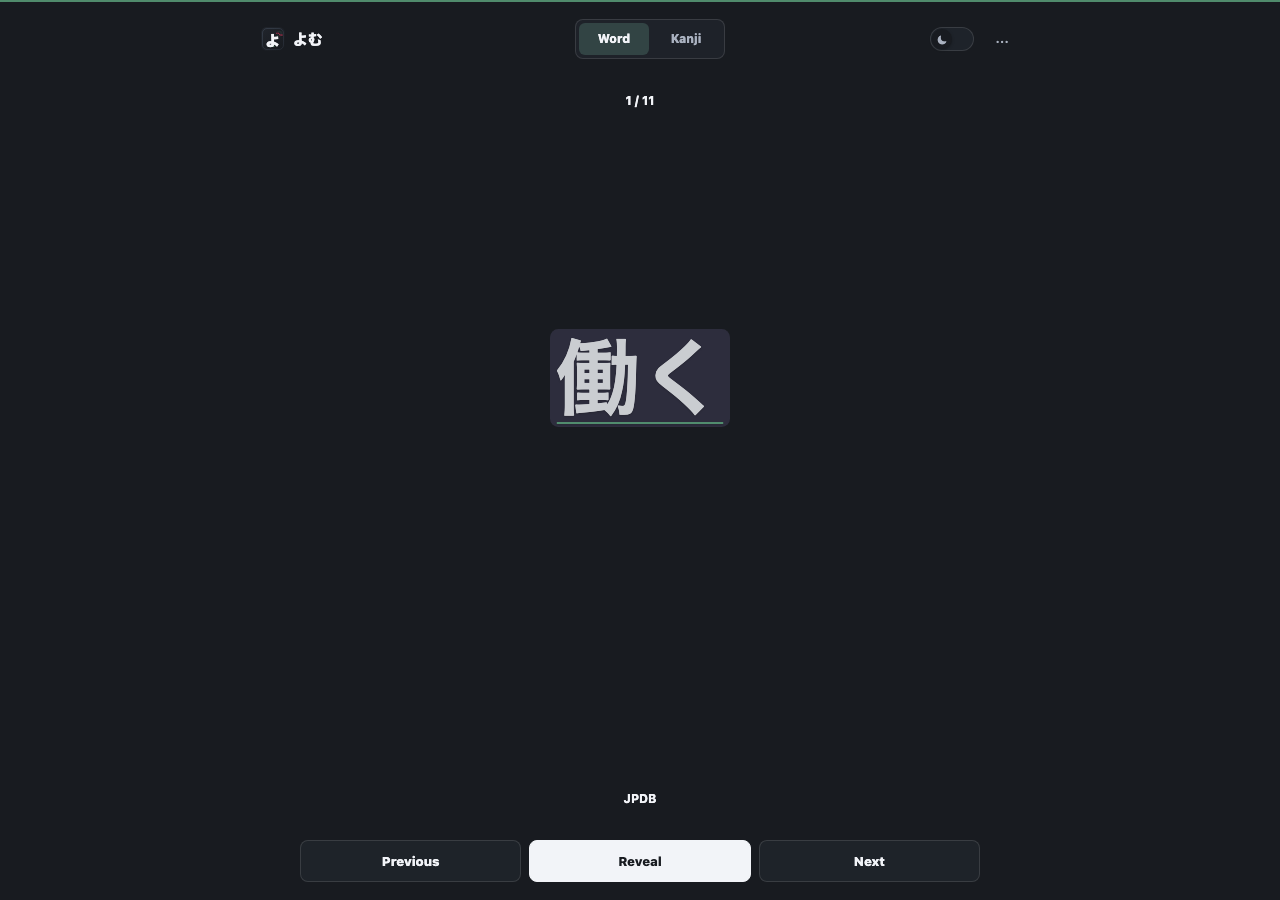
Best daily-review surface on mobile
On iPhone, iPad, and Android this is often the easiest place to do daily reviews. Add the hosted page as a Home Screen shortcut and study from the habit you already have.
For full Anki status, note updates, deck scanning, and review queues, keep desktop Anki with AnkiConnect reachable over a LAN or Tailscale URL — see the mobile Anki steps. The hosted page can also bridge local AnkiConnect through the installed userscript on the same computer.
Set it up
- Install the free よむ userscript (see the setup guide).
- Open the study page and import a dictionary in Settings → Dictionaries.
- Optionally connect Jiten, JPDB, or Anki, then set the page as your new-tab or Home Screen shortcut.
Questions
Do I need an account? No — it works with a local Yomitan dictionary or JMdict. Connect Jiten, JPDB, or Anki for richer review and status.
How does it study Anki on a phone? Keep desktop AnkiConnect reachable over a LAN or Tailscale URL — see the mobile Anki steps.
Related guide: Yomitan vs Jiten vs JPDB vs Anki: which to use when.