
Japanese OCR & Manga Text Reader
Most Japanese OCR tools make you upload an image, wait, and copy text into a separate dictionary. よむ reads the Japanese in place for free: tap a word right where you see it and the dictionary opens over the image. That makes it a practical way to read manga, screenshots, game captures, and image-only pages where normal text selection does nothing.
How it works
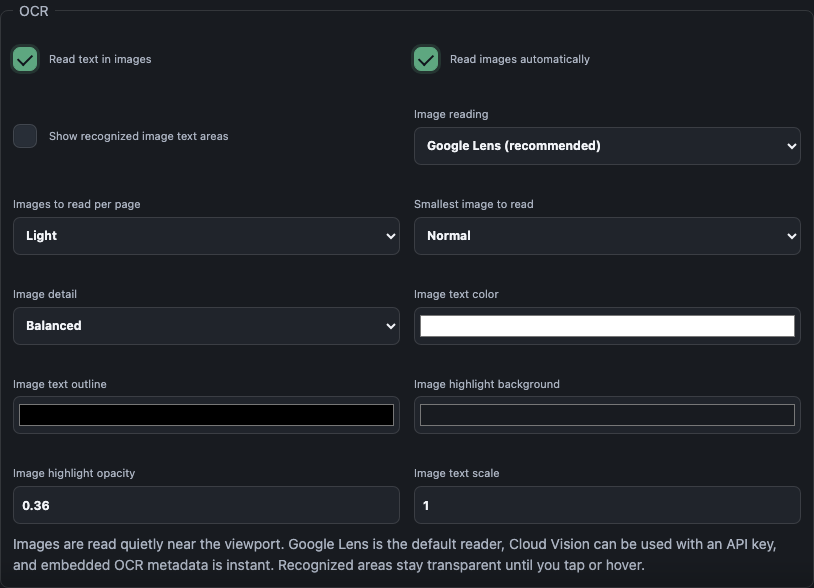
When you open an image, よむ finds the Japanese text and lays invisible touch targets over it. The picture stays exactly as it was; nothing is drawn on top until you tap or hover. Tap a word and the normal よむ popup opens with the reading, meaning, kanji breakdown, audio, and mining buttons. Two ways よむ gets the text:
- Embedded OCR metadata. Some sites and tools (for example Mokuro-processed manga) ship the recognized text alongside the image. よむ uses it directly — instant, accurate, and nothing leaves your device.
- A local OCR engine. Point よむ at a local OCR app or server and it can recognize text on demand. It understands engines such as MangaOCR, PaddleOCR, Apple Vision–style results, and YomiNinja-shaped responses.
Good for
- Manga — read raw Japanese manga panel by panel, tapping any word you don't know.
- Screenshots & games — capture a line of dialogue and look it up without retyping.
- Image-heavy pages — sites that render Japanese as pictures instead of selectable text.
Privacy
The image itself is not uploaded anywhere unless you turn on a local OCR endpoint — and that endpoint is the one you choose in settings, usually running on your own computer. Embedded OCR metadata is read straight from the page.
Set it up
- Install the free よむ userscript (see the setup guide).
- Open a manga or image page with Japanese text.
- For local OCR, point よむ at your OCR server in Settings → Images. For Mokuro and similar embedded data, it just works.
Questions
Do I need a paid OCR service? No — the local OCR engines よむ talks to (MangaOCR, PaddleOCR, YomiNinja) are free, open-source projects you run yourself.
Does my image get uploaded? Only if you enable a local OCR endpoint you control. Otherwise nothing leaves your device.
Related guide: How to read manga in Japanese (free setup).